

Immigration Case Management
Robust immigration case management in one intelligent platform
Immigration attorneys manage an average of 50-150 active cases at once, each with multiple beneficiaries, dependents, and overlapping deadlines.
Generic case management systems can’t handle this complexity.
What This Means for Your Immigration Practice
CampLegal handles everything from intake to approval—cases, documents, deadlines, billing, and automated workflows.
Before CampLegal
- Multiple systems for tracking cases, documents, and billing, creating data silos
- Staff manually creating invoices and chasing payments
- Repetitive tasks are done manually hundreds of times per month
- No visibility into which cases are stuck or overdue
- Client documents scattered across email, dropbox, and physical files
After CampLegal
- One platform to manage cases, documents, billing, and client communication
- Automated payment plans and invoice creation
- Smart immigration workflows handle repetitive tasks automatically
- Real-time dashboard shows case status and overdue items
- All documents centralized with client self-upload from any device
How CampLegal’s Immigration Case Management Software Works
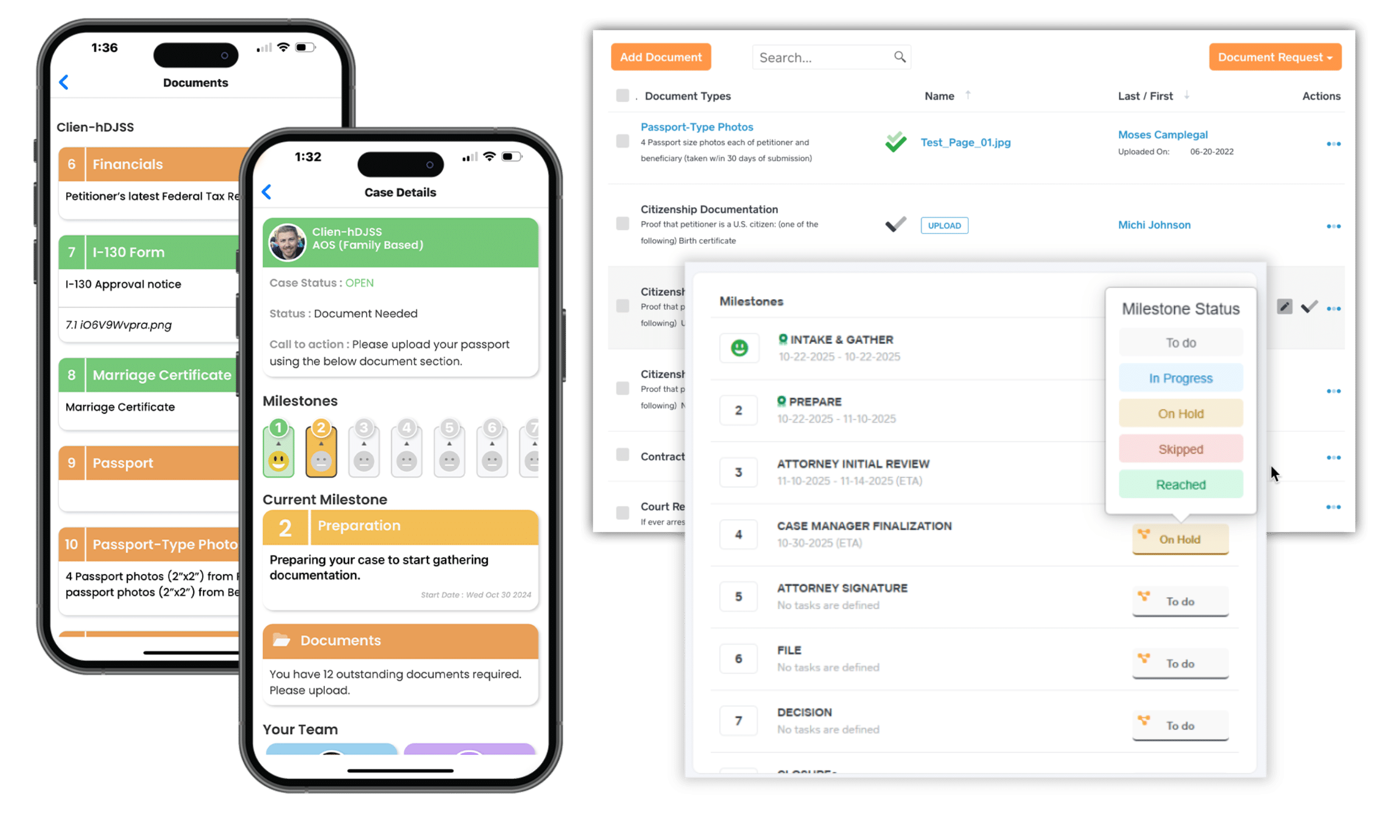
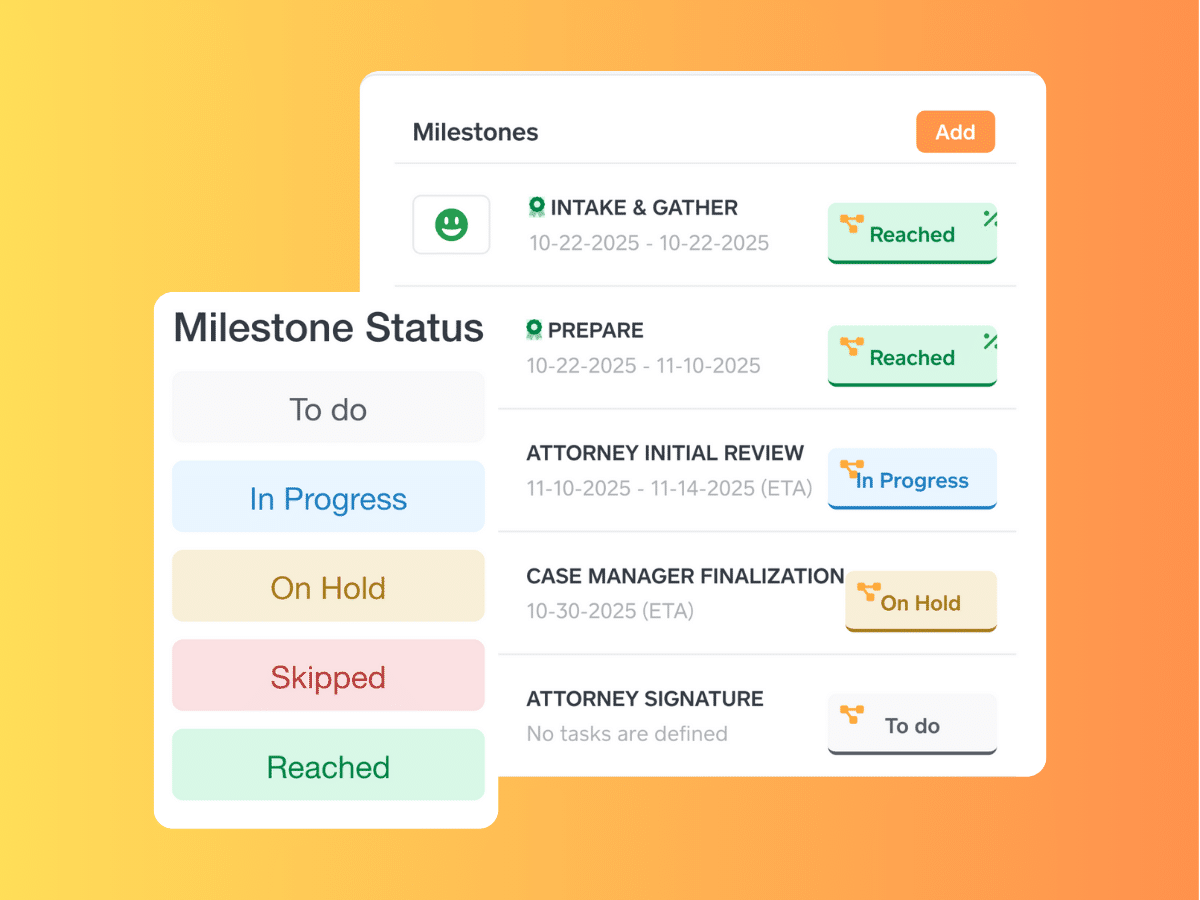
Build milestone templates for every case type you handle—I-130/I-485 adjustment, consular processing, N-400 naturalization, H-1B petitions, asylum applications. Each milestone can trigger tasks, deadlines, and notifications. No other immigration case management software gives you this level of case-type intelligence.
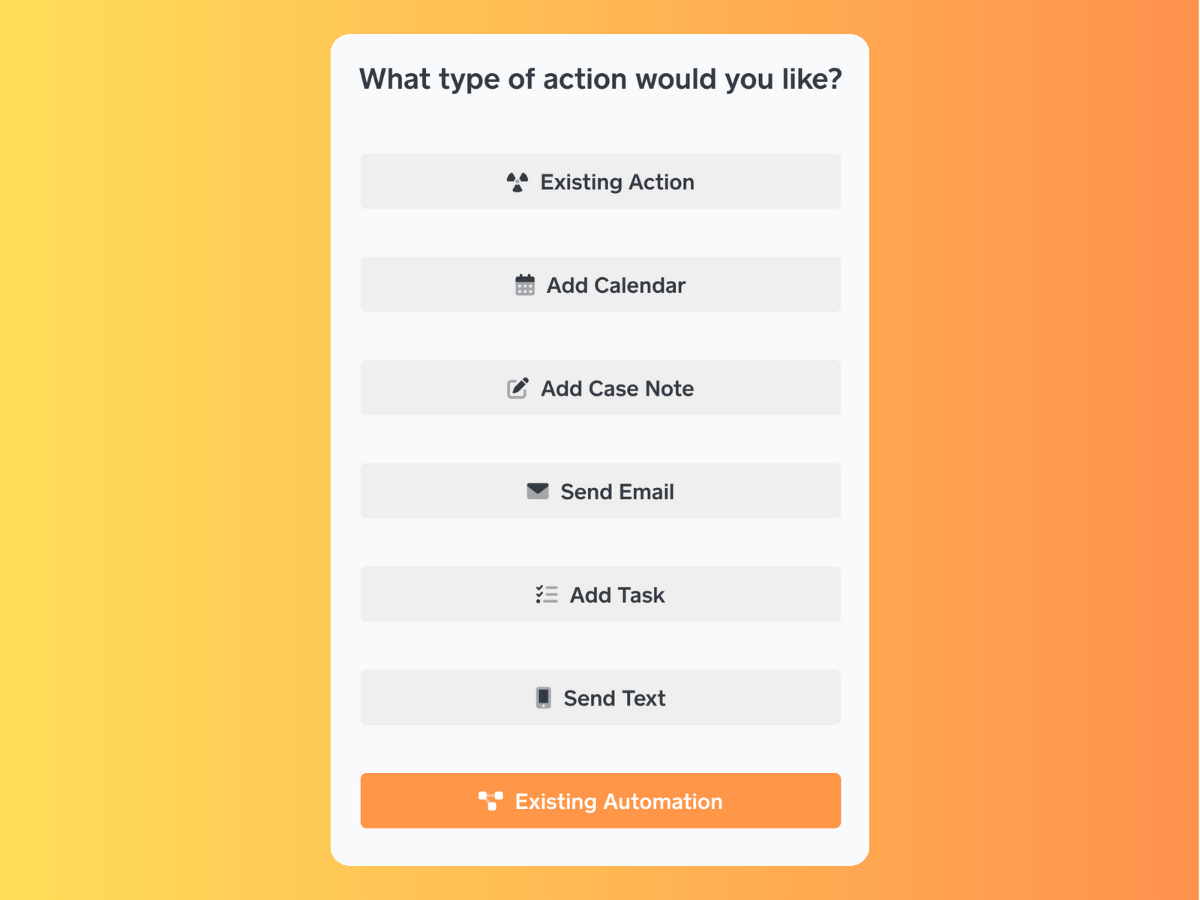
Trigger workflows from any task, status change, or milestone. One workflow can: send a client email in their language, create three follow-up tasks for your paralegal, add a calendar reminder, generate a case note, and request an e-signature—all in one click.
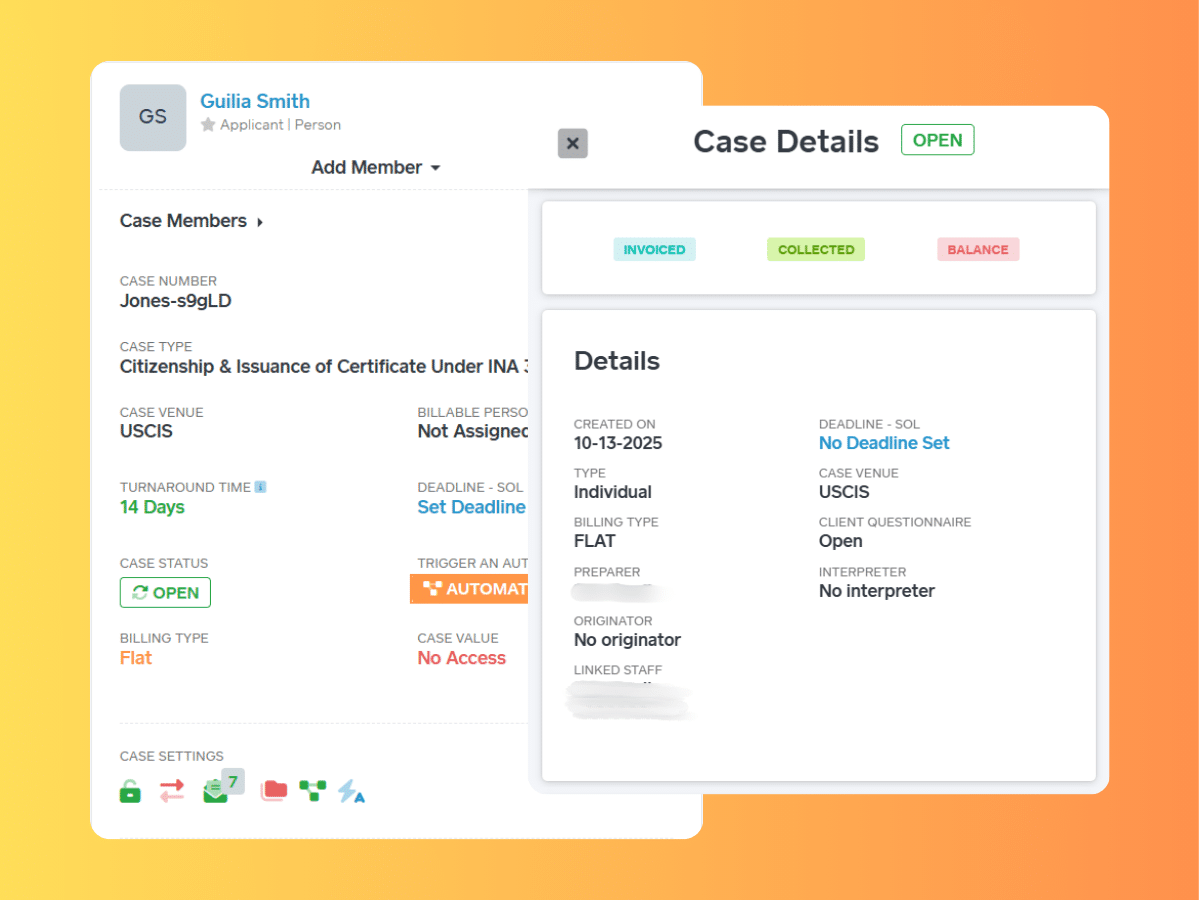
See exactly where every case stands. Track progress through each milestone. Assign tasks to specific team members. Filter by case type, attorney, or urgency. The split-screen interface lets you view multiple records simultaneously—compare two cases, review a document while updating notes, check a client profile while drafting an email. Less clicking, more productivity.
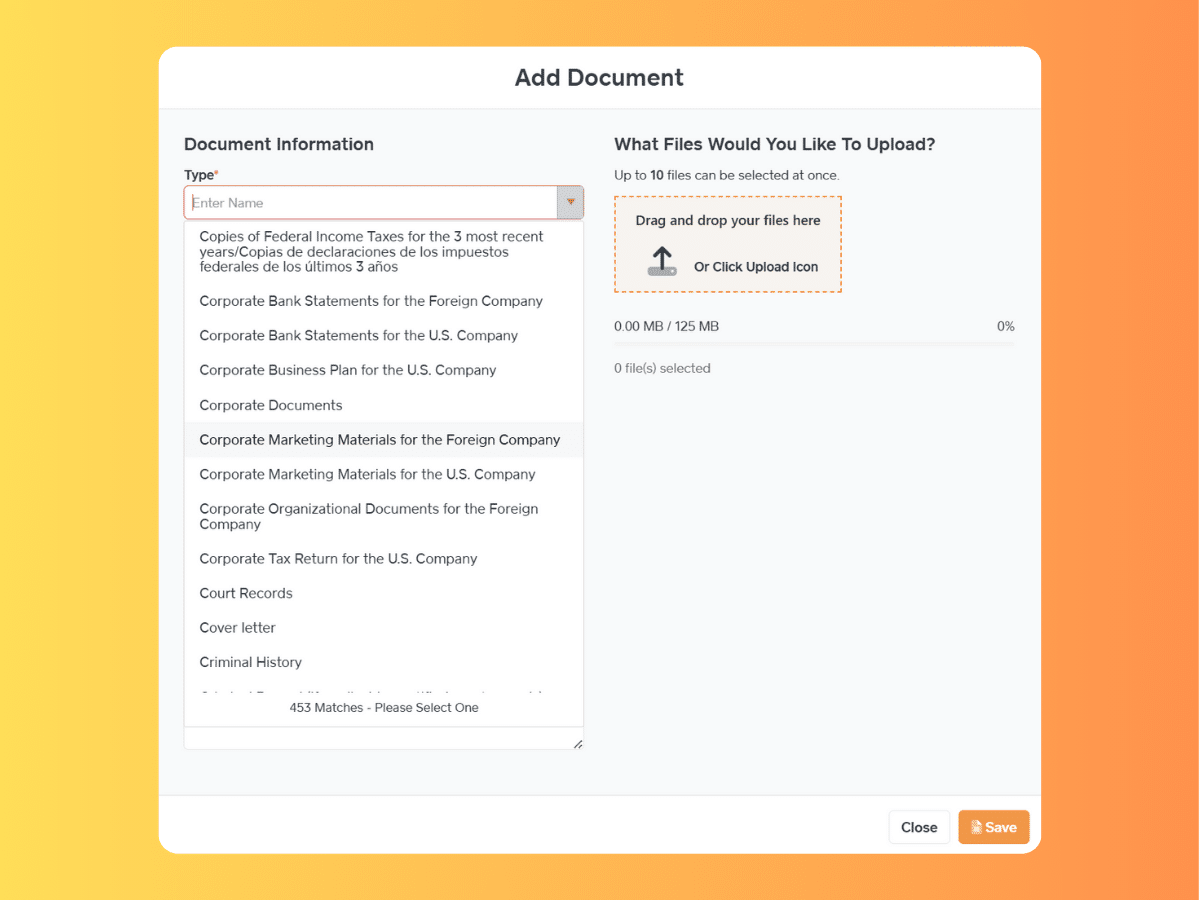
Configure which documents are automatically requested for each case type. Clients receive document requests via text and email (in their language) with upload links that work on any phone. Approve or deny uploads instantly—if a passport photo is blurry, deny it with a comment and the system auto-sends another request. Lock firm-only documents so clients never see internal strategy memos or notes.
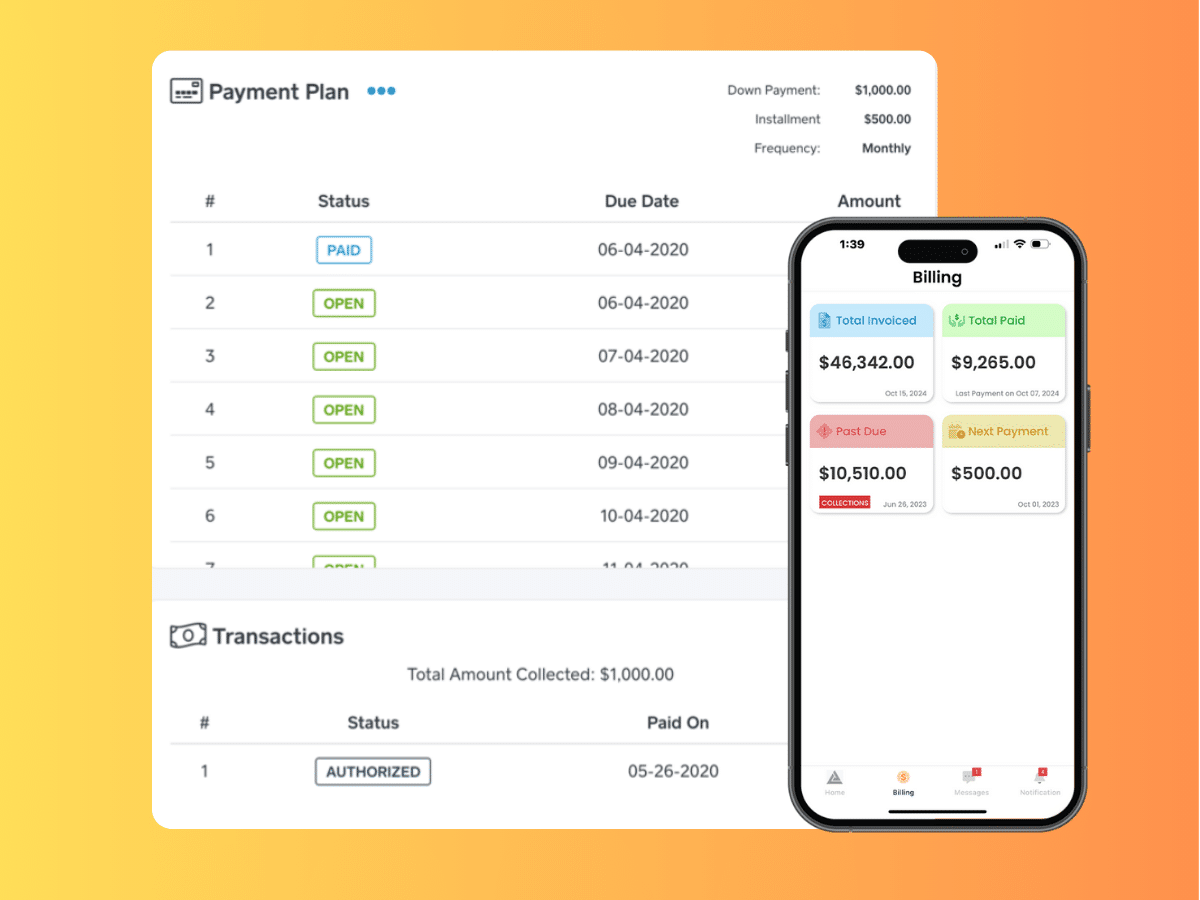
Create invoices with one click using customizable templates and à la carte pricing. Set up automated payment plans, either recurring charges via LawPay's scheduled payments (credit card/ACH auto-collected) or installment plans with automatic email/text reminders in the client's language. The Collections feature uses color-coding to show payment status at a glance.
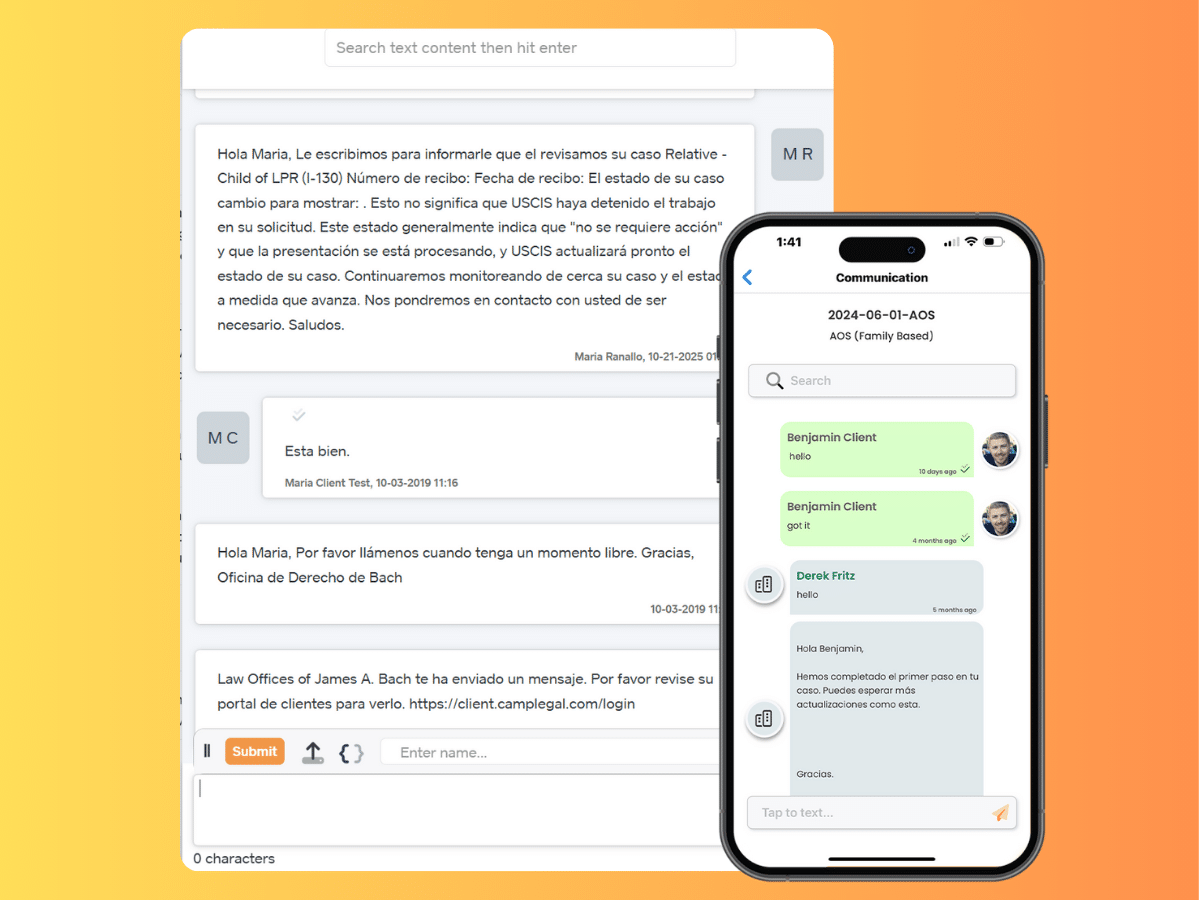
Link cases and contacts directly to Google Calendar or Office365 events. Every consultation, hearing, and deadline syncs automatically. All client communication—emails, texts, portal messages—logs automatically to the case file. Reduce case inquiries drastically and never search through email folders again.
Custom Milestones for Immigration Cases
Build milestone templates for every case type you handle—I-130/I-485 adjustment, consular processing, N-400 naturalization, H-1B petitions, asylum applications. Each milestone can trigger tasks, deadlines, and notifications. No other immigration software gives you this level of case-type intelligence.
Automated Workflows That Eliminate Busy Work
Trigger workflows from any task, status change, or milestone. One workflow can: send a client email in their language, create three follow-up tasks for your paralegal, add a calendar reminder, generate a case note, and request an e-signature—all in one click.
Comprehensive, Intuitive Case Dashboard
See exactly where every case stands. Track progress through each milestone. Assign tasks to specific team members. Filter by case type, attorney, or urgency. The split-screen interface lets you view multiple records simultaneously—compare two cases, review a document while updating notes, check a client profile while drafting an email. Less clicking, more productivity.
Immigration-Specific Document Management
Configure which documents are automatically requested for each case type. Clients receive document requests via text and email (in their language) with upload links that work on any phone. Approve or deny uploads instantly—if a passport photo is blurry, deny it with a comment and the system auto-sends another request. Lock firm-only documents so clients never see internal strategy memos or notes.
Smart Billing & Payment Automation
Create invoices with one click using customizable templates and a la carte pricing. Set up automated payment plans, either recurring charges via LawPay's scheduled payments (credit card/ACH auto-collected) or installment plans with automatic email/text reminders in the client's language. The Collections feature uses color-coding to show payment status at a glance.
Integrated Calendar & Client Communication
Link cases and contacts directly to Google Calendar or Office365 events. Every consultation, hearing, and deadline syncs automatically. All client communication—emails, texts, portal messages—logs automatically to the case file. Reduce case inquiries drastically and never search through email folders again.